창립자에게 문의하기
아직도 궁금한 점이 있으신가요?
저희 창립자와 직접 연결하세요. 가격이든 기술적인 세부 사항이든 명확한 답변을 받고, 첫 주문을 위한 독점 ‘창립자 보너스’도 받아보세요.




900명 이상의 만족 고객
🏆 1,000건 이상의 맞춤 프로젝트를 성공적으로 납품했습니다.

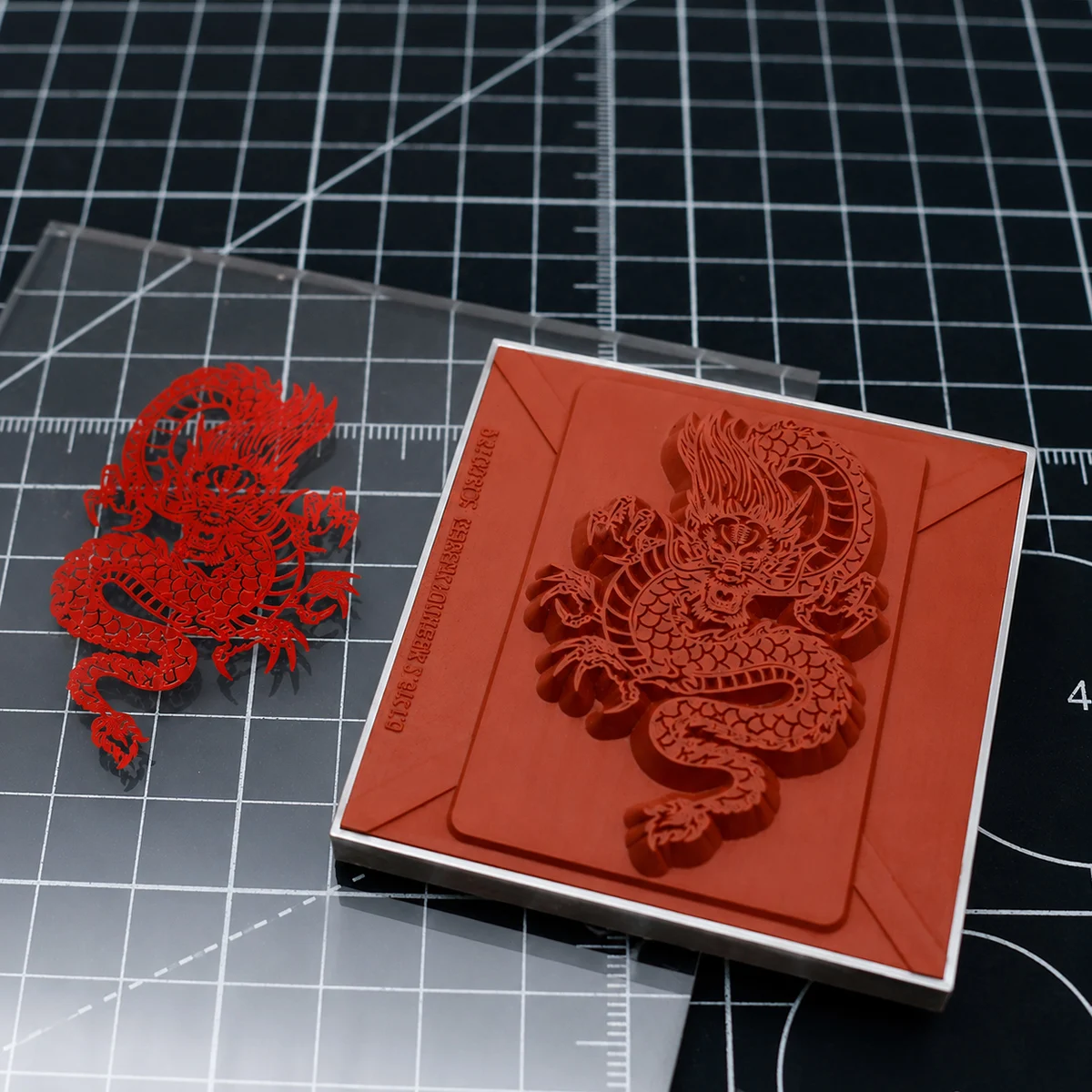
We tested hot foil stamping on PMMA acrylic sheet with a TJ8020PS machine and silicone mold at 170°C, 180°C, 190°C, and 200°C. The 190°C setting produced the best balance of complete foil transfer, sharp edges, clear details, even metallic gloss, and lower risk of acrylic softening or deformation.
What is the best acrylic foil stamping temperature? In the documented ZHENGFEI test, the best reference result came from 190°C for 1 second using a TJ8020PS hot stamping machine, a silicone mold, 및 PMMA acrylic sheet.
The test compared 170°C, 180°C, 190°C, and 200°C. At 170°C, the foil transfer was not complete enough for fine details. At 180°C, the transfer improved but some areas could still be uneven. At 190°C, the foil transferred evenly with sharp edges, clear details, and natural metallic gloss. At 200°C, transfer became fuller, but the acrylic received more heat and the risk of edge spread, pressure marks, gloss loss, or slight deformation increased.
This article is for sign makers, display manufacturers, award and gift suppliers, electronic panel producers, packaging companies, and OEM buyers who need to stamp logos, lettering, or decorative graphics on acrylic plate. The 190°C setting is a reference from this test, not a universal rule for every acrylic grade, thickness, coating, foil, or product shape.
For the tested combination of TJ8020PS, silicone mold, and PMMA acrylic sheet, start with:
| Process item | Documented test reference |
|---|---|
| 기계 | TJ8020PS hot stamping machine |
| Mold | Silicone mold |
| 재료 | Acrylic sheet / PMMA |
| Temperature comparison | 170°C, 180°C, 190°C, 200°C |
| Recommended reference | 190°C |
| Dwell time at recommended setting | 1초 |
| Best observed balance | Complete transfer, sharp edges, clear details, even metallic gloss |
| Main high-temperature risks | Edge spread, pressure marks, gloss reduction, softening, slight deformation |
Use 190°C as the first sample setting when your material and tooling are similar. If the foil is incomplete, check pressure, surface cleanliness, foil compatibility, and silicone-mold contact before making a large temperature change. If the acrylic loses gloss or shows marks, reduce heat or dwell time and repeat a controlled sample test.
For a different substrate, do not copy this temperature directly. Our pearl paper foil stamping temperature test used 110°C on pearl paper envelopes, which shows why material-specific testing matters.
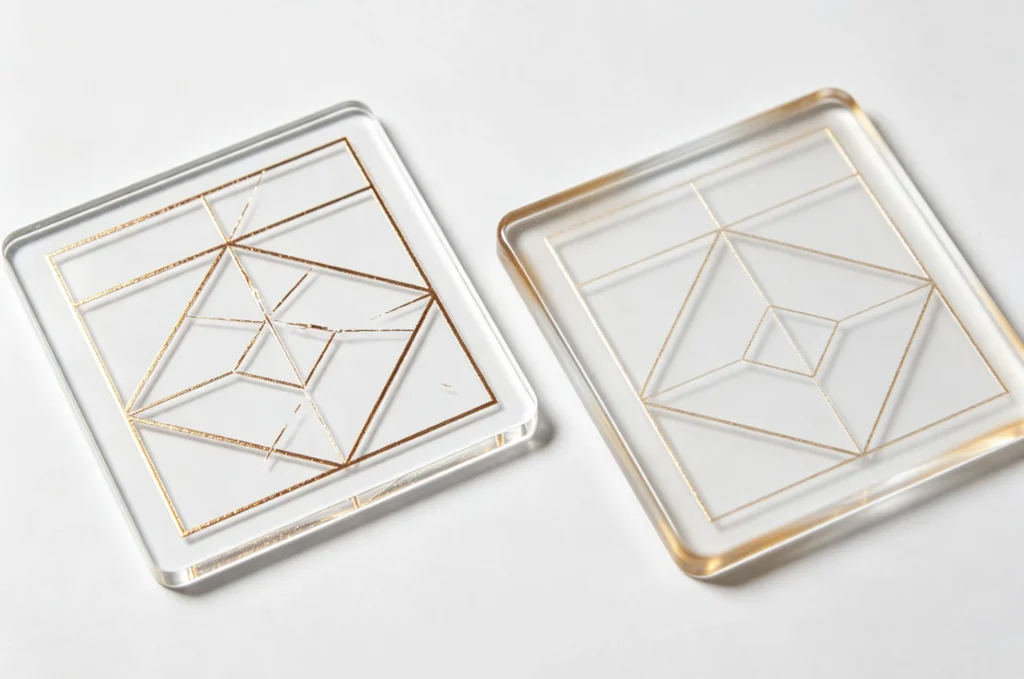
Acrylic sheet, commonly called PMMA, is valued for transparency, gloss, and easy fabrication. It is used for advertising signs, display plates, awards, craft products, electronic panels, decorative parts, and premium product packaging. A general material reference is available from this overview of poly(methyl methacrylate).
Those same visual properties make acrylic both attractive and demanding. A foil logo can add a strong metallic contrast to a clear, colored, or frosted acrylic part. However, a small change in gloss, a shallow pressure mark, or a slightly distorted edge can be visible immediately on a smooth acrylic surface.
The process therefore has two competing requirements:
Hot stamping transfers a decorative layer by combining heat, pressure, foil, and a die or mold. This general hot stamping process explains why temperature cannot be judged separately from pressure and contact. On acrylic, the relevant variables include:
If you are comparing foil materials before testing, read hot stamping foil vs toner foil vs Cricut foil. Foil color alone does not tell you whether the foil will release and adhere correctly to a particular plastic surface.
The source test used a silicone mold rather than a rigid metal die. Silicone is flexible and elastic; a general material reference is available here: silicone.
During pressure, a silicone mold can conform to the acrylic surface and help the foil stay in more even contact with the product. This is useful when the product has a slight height difference, a curved area, a textured surface, or an irregular shape. More even contact can reduce local transfer gaps and make the metallic finish look more consistent.
The mold does not remove the need for good fixturing. Acrylic still needs to be supported from underneath, the stamping area needs to be stable, and the silicone surface must be clean. Dust, foil residue, damaged edges, or uneven mold wear can create local defects even when the temperature is correct.
For extremely sharp lettering, long-run repeat production, or a flat part that needs an engraved logo, a brass die may be a better tooling choice. You can compare 포괄적인 워크플로우 솔루션을 위한 승화 인쇄 서비스에 대해 알아보십시오., custom brass stamps for leather and wood branding, 및 3D relief brass hot stamping dies according to the artwork and product structure.
The report identifies the following process:
The acrylic samples included detailed circular artwork and a dragon-style graphic. These designs are useful for judging both solid areas and fine lines. A large circular pattern shows whether foil transfer is even across a wider area, while the dragon graphic reveals whether thin details remain clean.
The report evaluates the process through practical production criteria:
This is a useful testing method for OEM work because a setting can look acceptable on a simple block logo but fail on detailed artwork. Before you make a custom die, review custom brass stamp artwork file requirements and the solid-area design rules for a foil stamp.
The following summary follows the original acrylic test report.
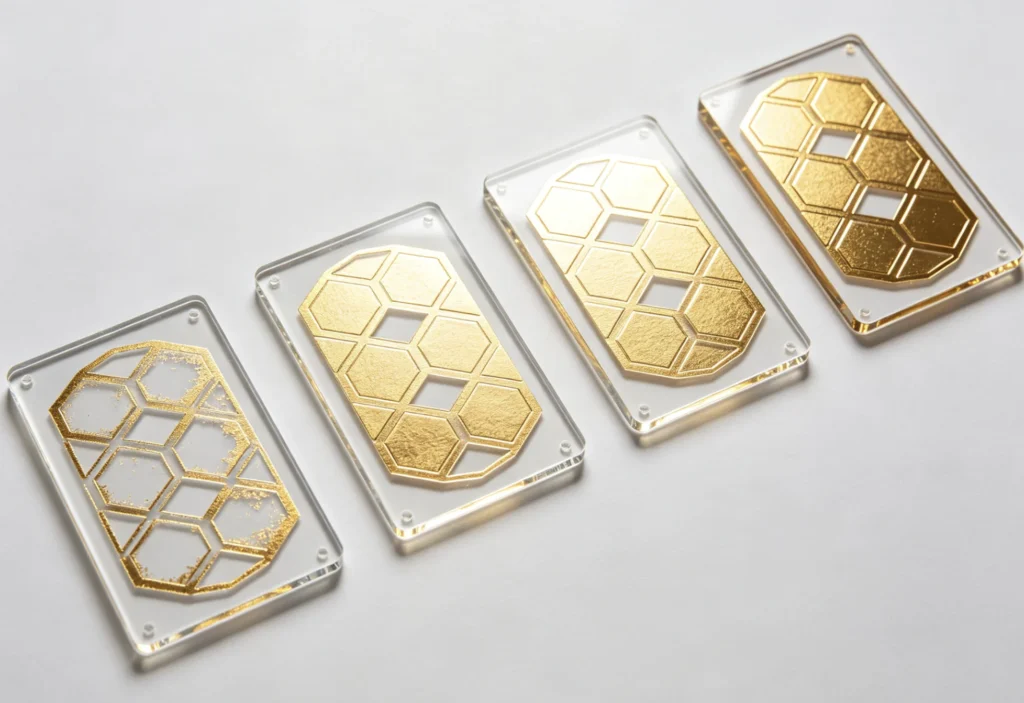
| 온도 | Observed transfer behavior | Surface and production judgment |
|---|---|---|
| 170°C | Foil release was not sufficient. Fine text and thin lines were more likely to show missing foil or weak adhesion. | Too low for a stable reference result |
| 180°C | Most of the artwork transferred and metallic gloss improved, but some fine or large areas could remain slightly incomplete. | Improved, but not the best result |
| 190°C | Foil transferred evenly and completely; edges were sharp, details were clear, and gloss looked full and natural. | Recommended reference in this test |
| 200°C | Transfer was fuller, especially on larger areas, but heat exposure increased the risk of spread, marks, gloss change, or deformation. | Use cautiously; not recommended as a long-run default |
At 170°C, the foil did not release fully enough from the carrier film. Fine letters, thin lines, and detailed graphic areas were the first places to show missing foil or weak attachment. The overall metallic gloss was also weaker.
This result is common when the temperature is below the working range of the foil and substrate combination. Lower heat can protect the acrylic from thermal stress, but it does not help if the foil layer cannot activate and bond. Raising temperature is one possible adjustment, but pressure, foil choice, and mold contact should be checked at the same time.
If you are troubleshooting incomplete transfer across different substrates, see why foil does not transfer. The exact temperature will change by material, but the diagnostic sequence is still useful.
At 180°C, the foil transfer became more stable. Most of the artwork could be seen, metallic gloss improved, and the edges looked clearer than at 170°C.
However, the report notes that fine artwork or larger stamping areas could still show slight transfer insufficiency. For a simple medium-size logo, 180°C may be a workable sampling point. For a detailed logo, decorative pattern, or large solid area, it did not provide the same consistency as 190°C.
The report identifies 190°C as the recommended reference temperature. At 190°C for 1 second, the foil layer transferred evenly and completely to the acrylic sheet. The design edges were sharp, the details were clear, and the metallic gloss appeared natural and full.
The silicone mold helped the process by conforming to the acrylic surface and distributing pressure more evenly. That reduced the chance of local weak contact and supported a more consistent appearance across the graphic.
The short 1-second dwell time is also important. It supplies the required heat while limiting how long the acrylic remains exposed to the heated tooling. According to the report, this balance reduced the risk of surface gloss loss, softening, and slight deformation compared with a longer high-temperature cycle.
For this tested combination, 190°C / 1 second is the best starting point for sampling. It should still be verified on the actual acrylic sheet, foil, mold, and product fixture before batch production.
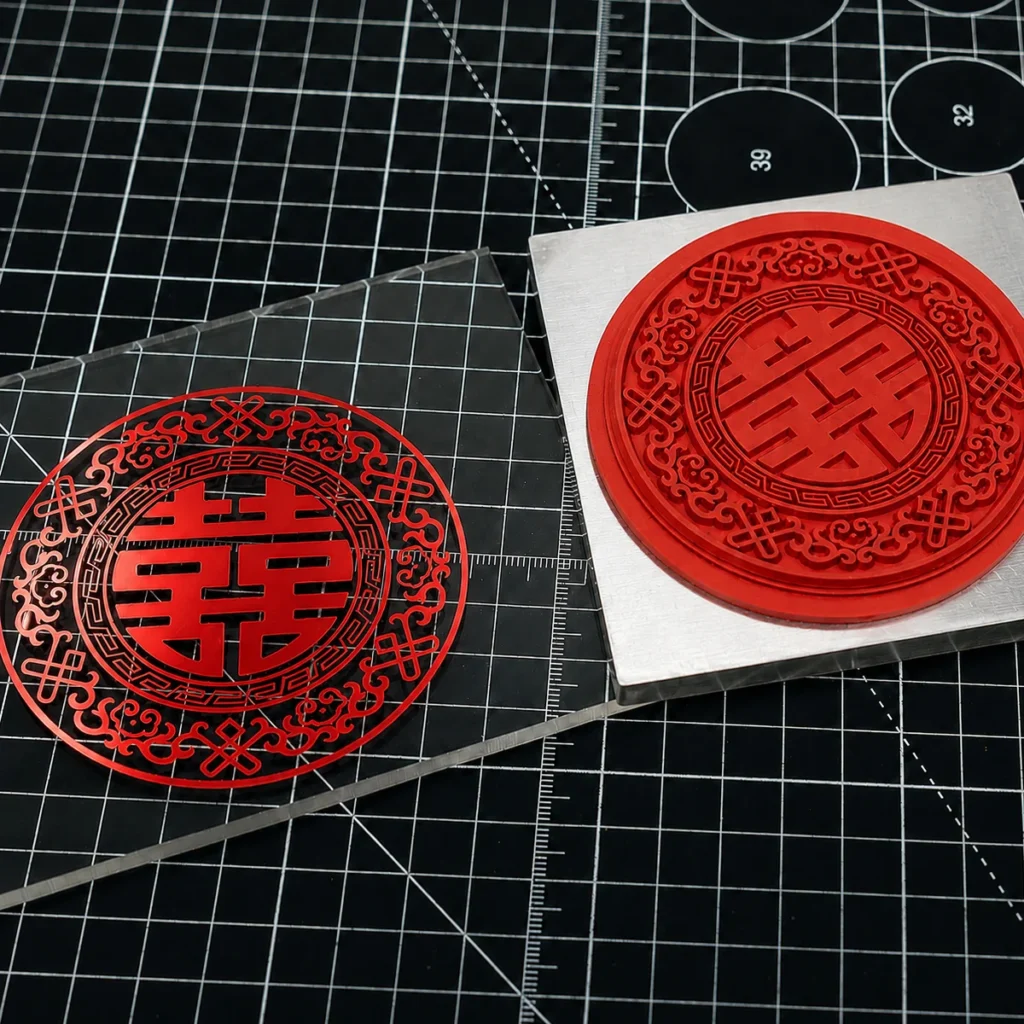
At 200°C, the foil transfer became more complete, and large areas could look fuller. That improvement does not automatically make 200°C the better production setting.
The report notes a higher risk of edge spread, light pressure marks, and reduced surface gloss. Transparent acrylic products are especially sensitive because changes to the surface can be seen under reflections and lighting. Higher heat can also increase the possibility of local softening or slight deformation.
For that reason, avoid increasing to 200°C simply because a logo looks more filled. First check whether the same improvement can be achieved through more even pressure, cleaner contact, a better-matched foil, or a small adjustment around the 190°C reference point.
The documented 190°C / 1-second setting is a starting reference, not a promise that every acrylic project will use the same number. Use a controlled sample plan so that only one variable changes at a time.
Identify whether the sheet is cast or extruded, clear or colored, glossy or matte, coated or uncoated, and thin or thick. Different acrylic grades and surface finishes can respond differently to heat.
Remove dust, oil, protective-film residue, and foil fragments before testing. A clean surface is especially important for a high-gloss acrylic panel because small contaminants can interrupt contact.
Make sure the silicone mold sits flat and reaches the whole design area. The acrylic should be supported underneath so it does not flex away from the mold during pressure.
For curved or irregular products, check the contact pattern rather than assuming the mold is conforming correctly. Uneven contact can look like a temperature problem even when the heat setting is correct.
시작 위치 190°C and 1 second for a similar acrylic, foil, and silicone mold combination. Produce at least one sample with fine details and one sample with a larger filled area.
Record the machine, foil model, temperature, time, pressure setting, acrylic type, acrylic thickness, and mold condition. This record becomes more useful than a single temperature number when the same design is repeated later.
If the foil is incomplete, first inspect pressure, contact, surface cleanliness, and foil compatibility. Then make a small temperature adjustment. Do not change temperature, pressure, time, foil, and artwork in one trial, because the result will not tell you which change helped.
If edges spread or the acrylic loses gloss, reduce heat or dwell time and repeat the same sample. Also inspect whether the pressure is too heavy. A short cycle with balanced pressure is usually safer than simply adding more heat.
A flat acrylic sheet is not always representative of a finished sign, award, electronic panel, or decorative part. Test the actual product geometry, support method, and stamping location before approving a batch.
If you are selecting equipment for a wider range of materials, compare our guide on how to choose the right hot stamping machine and the guide on how to choose the best hot stamping machine for leather goods. The same decision logic—working area, pressure, temperature control, tooling, and production volume—also helps with acrylic projects.
| Defect | Likely cause | First checks |
|---|---|---|
| Missing foil | Temperature too low, pressure too weak, incompatible foil, incomplete contact | Check surface, pressure, foil model, and mold contact before raising heat |
| Broken thin lines | Fine artwork, uneven pressure, dirty mold, insufficient transfer | Clean the mold, confirm contact, and test a small temperature increase |
| Weak metallic gloss | Foil release is incomplete or pressure is inconsistent | Check foil compatibility and whether the silicone mold is contacting evenly |
| Blurry or spreading edges | Temperature or pressure is too high | Reduce heat or pressure and inspect the artwork edge |
| Surface gloss reduction | Acrylic is receiving too much heat | Shorten dwell time or lower temperature |
| Light pressure marks | Pressure is concentrated in one area or support is uneven | Improve the backing support and reduce local pressure |
| Slight deformation | Heat exposure is too high or too long | Return to a shorter cycle and test below 200°C |
| Foil peels after stamping | Foil and acrylic surface are mismatched or adhesion is weak | Check foil type, surface preparation, and cooling before handling |
If the transfer looks complete but the foil later lifts, read why gold foil peels off after stamping. If you see unwanted foil outside the design, read why extra gold foil appears around a stamp.
The machine setting cannot rescue artwork that is too fine for the material, foil, and die combination. Before ordering a custom mold, check:
For custom logo projects, send clean vector artwork and confirm the finished stamping size. The file-preparation guidance in custom brass stamp artwork file requirements can be used as a starting checklist even when the final tooling is silicone rather than brass.
If the design requires raised levels or an embossed decorative effect instead of a flat foil mark, compare 3D relief brass hot stamping dies. Tooling choice should follow the desired surface effect, not just the material name.
The TJ8020PS process documented here is a material-and-tooling test. If you are still comparing machines for sampling or production, start with the ZHENGFEI hot stamping machine category.
For different production needs, these product pages may be useful comparison points:
The correct choice depends on acrylic size, required pressure, production volume, mold dimensions, operator workflow, and whether the same machine will also process leather, paper, wood, or coated plastics. For a practical explanation of temperature, pressure, and time as a system, read our hot stamping temperature, pressure, and time guide.
Before approving acrylic foil stamping for batch production, confirm all of the following:
Keep the production conditions stable after approval. Temperature drift, mold wear, foil changes, and different acrylic batches can all create visible differences between production lots.
Continue the material-based test series with:
For a project-specific material test, machine recommendation, or custom tooling review, contact ZHENGFEI.
In the documented TJ8020PS test, 190°C was the best reference temperature for PMMA acrylic sheet with a silicone mold. The recommended condition was 190°C for 1 second. Test the actual acrylic grade, foil, mold, and product structure before batch production.
Yes. Acrylic sheet can receive foil-stamped logos, text, and decorative graphics when the foil, temperature, pressure, dwell time, and mold contact are matched correctly. Silicone molds can help distribute pressure and conform to the acrylic surface.
Common causes include insufficient temperature, weak or uneven pressure, unsuitable foil, dirty acrylic, poor mold contact, or artwork details that are too fine. Check these factors in a controlled order instead of increasing temperature immediately.
It can be suitable when the acrylic surface needs flexible, even contact or the product has slight irregularities. The mold must still be clean, correctly supported, and matched to the artwork and pressure requirements.
The test showed fuller transfer at 200°C, but it also showed higher risk to the acrylic surface, including edge spread, pressure marks, gloss reduction, softening, or slight deformation. It should not be the default long-run setting without a successful product-specific test.
It can. Thickness, acrylic grade, surface coating, product geometry, foil model, pressure, and dwell time all affect heat response. A thicker or better-supported part may behave differently from a thin or unsupported sheet, so test the actual production part.
For the tested combination of TJ8020PS hot stamping machine + silicone mold + PMMA acrylic sheet, the best acrylic foil stamping temperature was 190°C for 1 second.
At 170°C, foil release was incomplete. At 180°C, transfer improved but some areas remained less stable. At 190°C, the foil transferred evenly with sharp edges, clear details, and natural metallic gloss. At 200°C, the transfer became fuller, but the acrylic faced greater risk of edge spread, pressure marks, gloss reduction, softening, and slight deformation.
Use 190°C / 1 second as a practical starting reference, then confirm the result with the actual acrylic, foil, silicone mold, artwork, pressure, and support method. If you need help selecting a machine, designing a mold, or arranging a sample test, contact ZHENGFEI.
This article is based on a ZHENGFEI process test prepared by John Zhao, founder of ZHENGFEI. The company has more than 21 years of experience covering graphic design, book and packaging printing, hot stamping processes, equipment selection, custom mold production, and production support. The test value is a practical reference; it should not replace a sample test on the buyer’s actual material and production structure.

 English English
 Japanese
 Spanish
 French
 Korean
 German
 Russian