We use cookies to ensure that we give you the best experience on our website.
Contact Founder
Still have doubts?
Connect directly with our Founder. Whether it’s about pricing or technical details, get a straight answer and an exclusive “Founder’s Bonus” for your first order.
900+ Satisfied Clients
🏆 Over 1000+ Custom Projects Successfully Delivered.
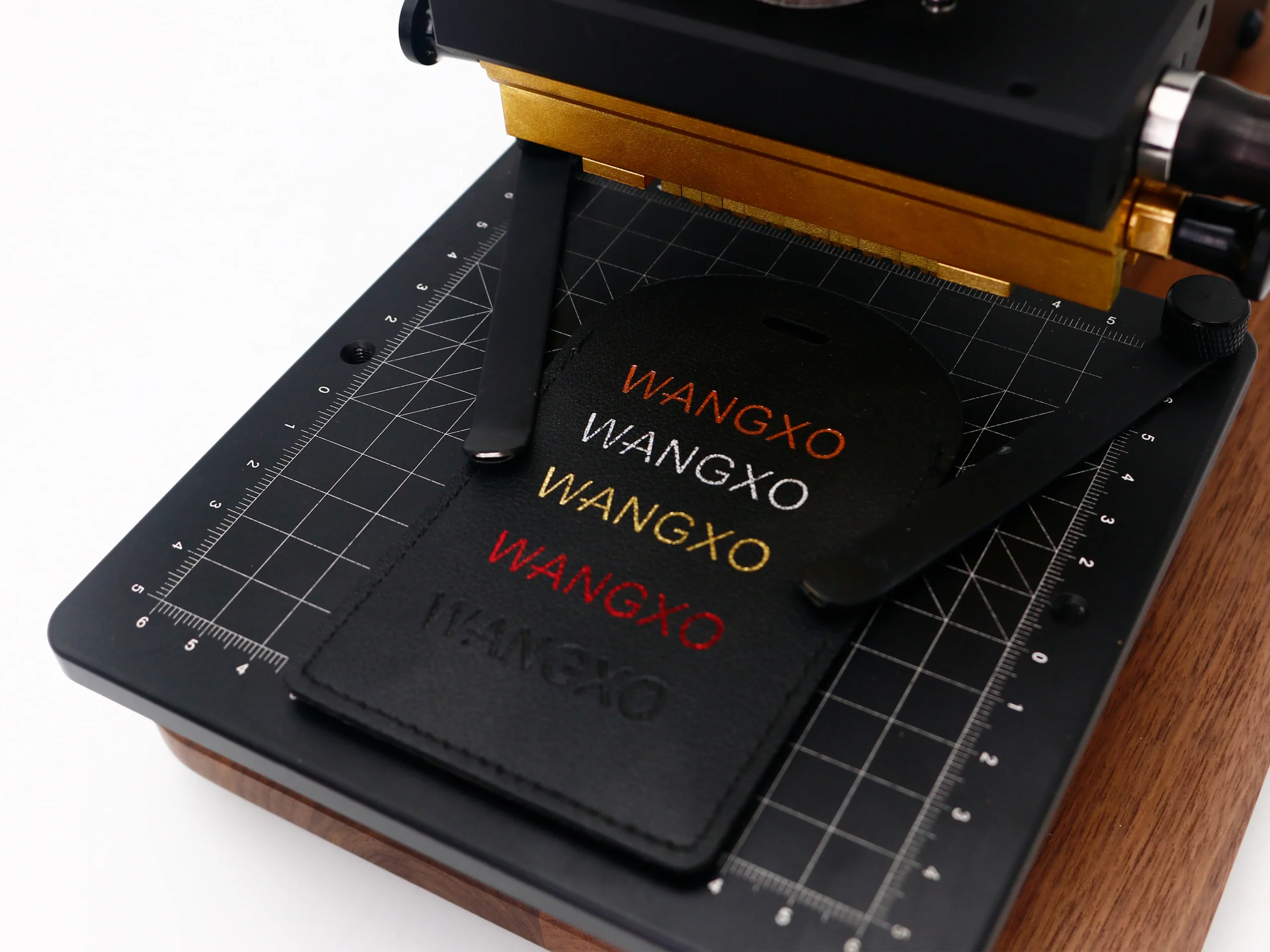
The precision grid alignment table ensures consistent, repeatable stamping placement for professional results every time.
How to Stamp Small Letters on Leather Without Blurry Edges
Stamping small letters on leather looks simple until the edges start spreading, the counters fill in, or the text becomes hard to read. This is one of the most common problems in leather
The good news is that blurry edges usually come from a few controllable factors: temperature, pressure, dwell time, die quality, and material choice. Once these are adjusted correctly, small text can stamp cleanly and consistently.
Small text is much less forgiving than large logos. When the design is tiny, even a small amount of extra heat or pressure can soften the edges and push foil beyond the letter shape.
The most common causes are:
temperature that is too high
too much pressure
dwell time that is too long
a brass die with poor detail or weak spacing
leather that is too soft or too heavily coated
foil that spreads easily under heat
If several of these happen together, small letters can quickly lose definition.
Start with Lower Temperature, Not Higher
Many operators increase heat first when the result looks weak, but for small letters that often makes the problem worse.
For PU leather, a better starting point is usually:
100-110°C
1 second
medium, even pressure
For many small text applications, staying closer to 100°C helps preserve sharper edges. If the transfer is incomplete, increase the temperature gradually instead of jumping too high.
For genuine leather, the range depends more on the finish and whether you are branding or foil stamping, but the same principle still applies: small text usually benefits from controlled heat, not aggressive heat.
Too much pressure can flatten the leather surface and push the foil outside the intended edge, especially on soft PU leather and smooth finished leather.
For small letters, pressure should be:
even across the full die
strong enough for full contact
not excessive
consistent from one stamp to the next
A stable press movement matters more than brute force. In many cases, reducing pressure slightly will improve text clarity faster than changing the foil.
Keep Dwell Time Short
Small letters usually need short contact time.
A practical starting point is:
PU leather: about 1 second
genuine leather: short test cycles first, then adjust carefully
fine foil text: use the shortest time that still gives full transfer
If the die stays too long on the surface, heat continues spreading into the surrounding material. That softens edges and makes small text look thick or fuzzy.
The Brass Die Matters More Than Many Buyers Expect
If the letters are too thin, too tight, or too shallow, the result may blur even before the machine settings are optimized.
For personalization work, interchangeable brass letters can also work well, but they need precise alignment and clean mounting.
Material Choice Changes the Result
Not all leather reacts the same way.
PU Leather
PU leather is widely used and can produce very clean foil stamping, but it is heat-sensitive. Small letters can blur quickly if the surface coating softens.
Best practice:
stay in the lower temperature range
keep dwell time short
avoid over-pressing
Genuine Leather
Genuine leather can hold detail well, especially when the surface is firm and consistent. But natural grain and softness can affect small text clarity.
Best practice:
test on the exact leather batch
adjust pressure carefully
watch how the surface reacts to heat
Soft or Heavily Coated Materials
These are more likely to spread or lose detail with small text.
Best practice:
simplify the design if possible
reduce heat
use a sharper die
test before production
Font and Design Rules for Small Leather Letters
Sometimes the problem is not the machine. It is the artwork.
Small text stamps better when the design has:
slightly thicker strokes
enough space between letters
simple letterforms
limited decorative details
readable uppercase or clean sans-serif shapes
Very thin serif fonts, compressed text, and tiny script lettering often perform poorly on leather, especially with foil.
If the logo includes small text under a main icon, it is often better to enlarge the text slightly rather than keep it too fine.
Foil Choice Also Affects Edge Sharpness
Some foils transfer very aggressively and may spread more easily on soft surfaces. Others give better control for small text.
When stamping fine letters, test:
foil adhesion strength
metallic layer sharpness
compatibility with PU leather or genuine leather
behavior at lower temperature
If the same die looks sharp with one foil and blurry with another, the foil is part of the issue.
Best Machine Setup for Small Letter Stamping
For small text, machine stability is extremely important. A manual hot stamping machine should provide:
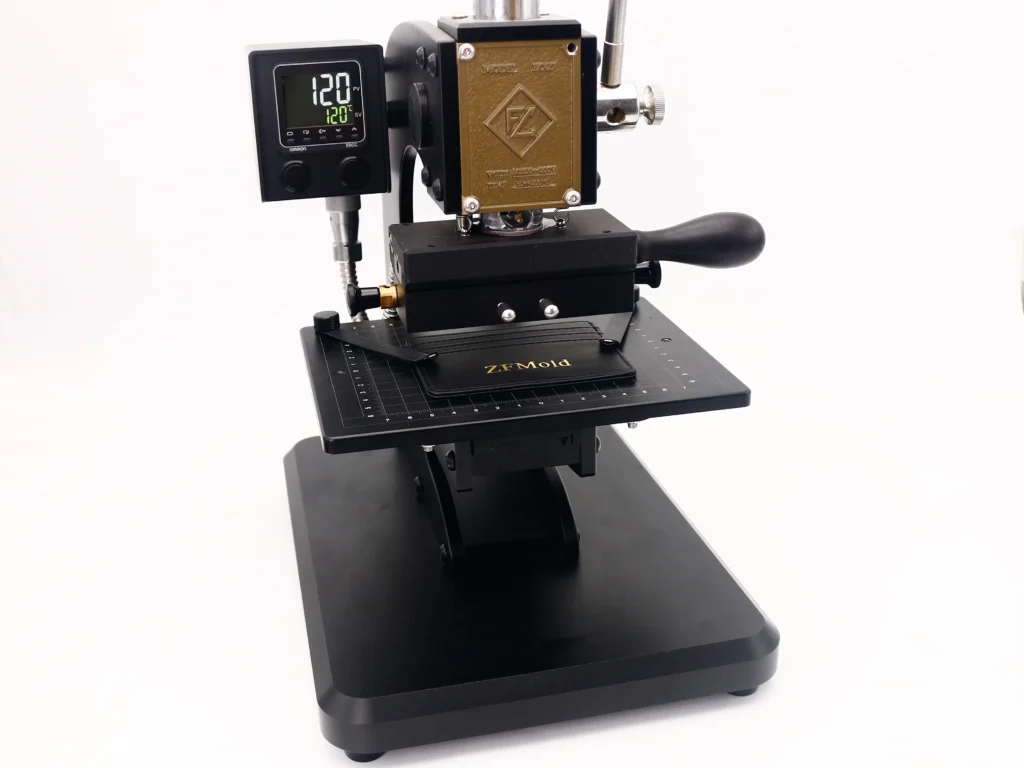
EC-27 is practical for small PU leather logo and text stamping, especially on finished items
Heavy-duty all-metal construction with digital temperature control, built for reliable daily production in leather workshops.
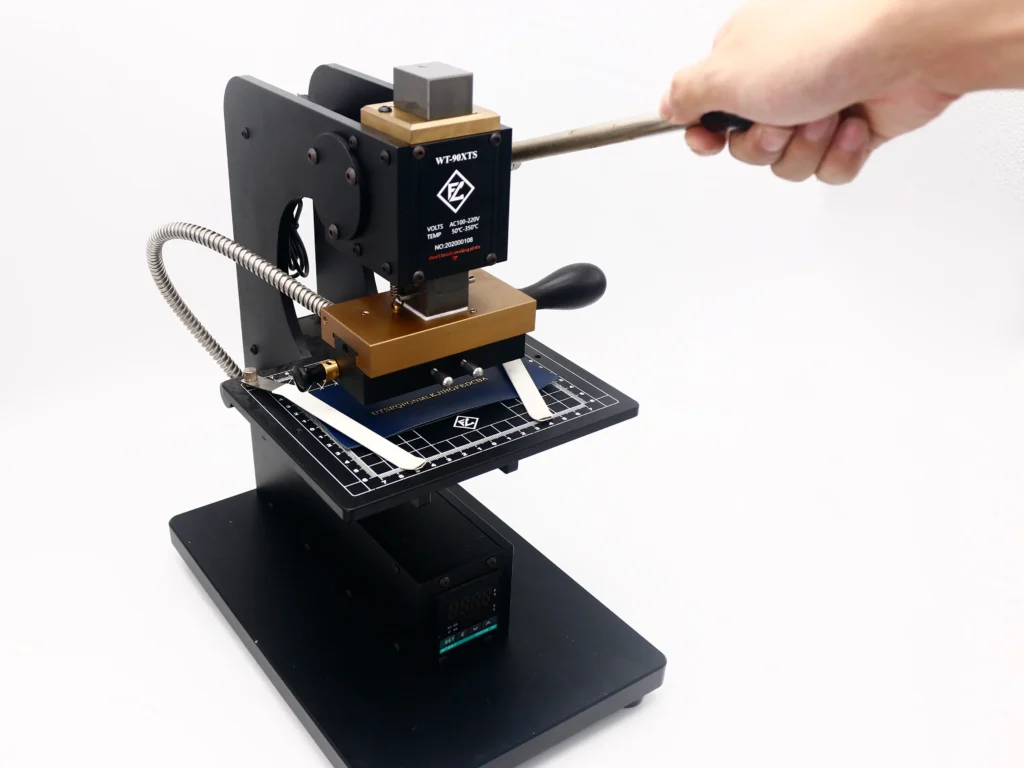
90XTS is a strong option for repeat jobs that need stable, consistent text stamping
When paired with a precision brass die, these setups are well suited for initials, names, short words, and small leather branding details.
Practical Troubleshooting Guide
Problem: letters look thick and soft
Possible causes:
temperature too high
too much pressure
dwell time too long
Fix:
lower temperature
shorten contact time
reduce pressure slightly
Problem: foil fills in the inside of letters
Possible causes:
text too small
die detail too tight
foil spreading under heat
Fix:
simplify the font
increase letter spacing
lower temperature
Problem: some letters are clear, others are weak
Possible causes:
uneven pressure
die not level
leather surface inconsistency
Fix:
check die mounting
level the work surface
confirm full contact across the text
Problem: text looks clear at first, then becomes blurry in production
Possible causes:
temperature drift
repeated overheating
inconsistent manual pressure
Fix:
monitor temperature stability
let the system recover between stamps
keep press movement consistent
Best Production Method
Before full production, test small letters on scrap pieces from the same material batch.
A reliable workflow is:
Start at 100°C
Stamp for 1 second
Check edge sharpness, fill-in, and foil coverage
Adjust pressure before raising temperature too much
Increase heat only in small steps if needed
This method usually gives better control than starting too hot and then trying to correct the damage.
Final Thoughts
To stamp small letters on leather without blurry edges, focus on control instead of force. Lower temperature, short dwell time, stable pressure, and a sharp brass die make the biggest difference.
For many PU leather jobs, 100-110°C and 1 second is a strong starting point. For small text, the lower end of that range often works better. Clean artwork, proper letter spacing, and a quality custom brass die are just as important as the machine itself.
What is the best temperature for small letters on PU leather?
In many cases, 100-110°C is a good starting range. For very small letters, 100°C often helps keep the edges sharper.
Why do small letters blur more easily than large logos?
Small text has less tolerance for extra heat and pressure. Fine spaces and thin strokes fill in faster during stamping.
Is a custom brass die better than interchangeable letters?
For fixed logos or repeated brand marks, a custom brass die usually gives cleaner and more consistent detail. Interchangeable letters are more flexible for names and personalization.
What font works best for small leather stamping?
Simple, readable fonts with slightly thicker strokes and enough spacing usually perform best.
Can the machine cause blurry small text?
Yes. If temperature is unstable, pressure is uneven, or the die contact is not level, even a good die can produce blurry results.
Share your love
ZHENGFEI Technical Team
ZHENGFEI Technical Team shares practical hot stamping knowledge from real production tests, including brass die design, foil stamping parameters, machine setup, leather, paper, acrylic, plastic, wood and packaging applications.






 English
 Japanese
 Spanish
 French
 Korean
 German
 Russian