We use cookies to ensure that we give you the best experience on our website.
Contact Founder
Still have doubts?
Connect directly with our Founder. Whether it’s about pricing or technical details, get a straight answer and an exclusive “Founder’s Bonus” for your first order.
900+ Satisfied Clients
🏆 Over 1000+ Custom Projects Successfully Delivered.
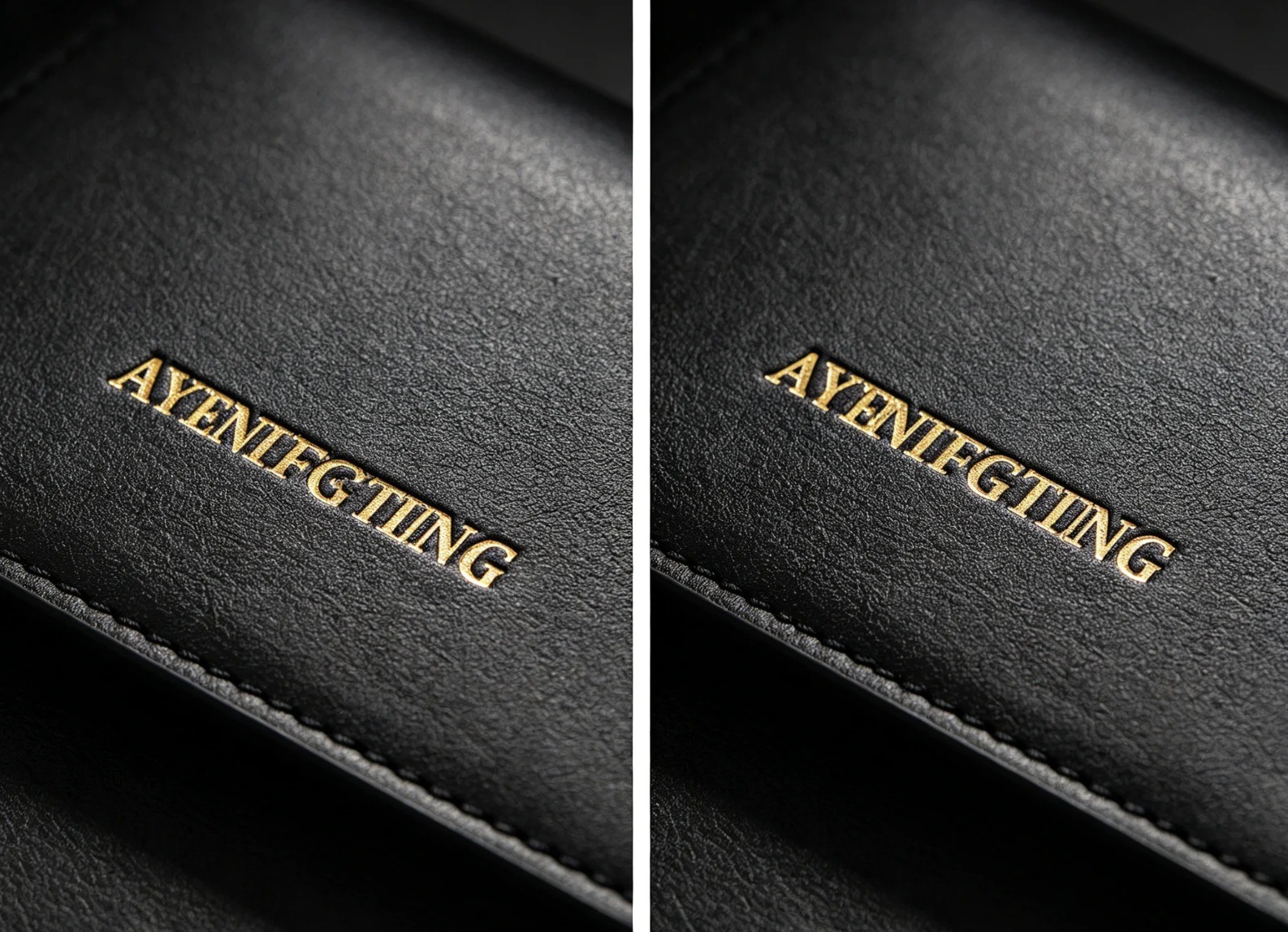
Our dedicated brass letter locking holder secures each character to equalize height & spacing, completely eliminating crooked slanted text on leather goods.
How to Align Brass Letters for Hot Foil Stamping Without Crooked Text
To align brass letters for hot foil stamping, set the text in a brass type holder or interchangeable slot whenever possible, mark a straight baseline on a test sheet, center the full word before heating, lock the letters tightly, and make a blind test impression before stamping with foil.
Crooked text usually comes from loose individual letters, uneven letter height, no baseline, poor centering, material movement, or pressing one letter at a time without a guide. For repeatable work, a letter holder, fixed slot, positioning jig, and sample test are more reliable than adjusting each letter by eye.
Why Brass Letter Alignment Matters
Hot foil stamping is not only about temperature, pressure and dwell time. For words, names, initials and book titles, alignment can make the difference between a premium result and a rejected product.
If the foil transfers well but the letters are crooked, the customer still sees it as a quality problem. This is especially true for:
leather wallet initials
notebook and journal names
book cover titles
packaging slogans
wedding invitation text
stationery personalization
small batch brand labels
handmade product logos
With a logo die, the design is fixed in one engraved block. But with movable brass letters, every character can move. That flexibility is useful, but it also means alignment needs a clear workflow.
Common Brass Letter Alignment Problems
Problema
What It Looks Like
Most Common Cause
Crooked word
the full name leans upward or downward
no baseline or poor jig positioning
Uneven letter height
one letter sits higher than the others
loose type, mixed letter sizes, uneven holder lock
Uneven spacing
some letters are too close or too far apart
no spacer system or manual placement error
Off-center stamping
the word is straight but in the wrong position
text was not centered before pressing
Double impression
letters look shadowed or shifted
material moved, press bounced, or second pass was misaligned
Blurry small letters
text is aligned but not sharp
too much heat, pressure, dwell time, or tight letter spacing
Step-by-Step: How to Align Brass Letters Before Stamping
1. Choose the Right Letter Size
Start with the final stamping area, not the letter box.
Before setting the type, decide:
final word width
letter height
distance from the product edge
distance from seams, folds or spine lines
whether the word should be centered or left aligned
whether the material can accept the full pressure area
Small letters look elegant, but they need enough space between strokes. If the letters are too small for the material texture, alignment may be perfect but the foil still looks weak or filled in.
For leather and PU leather, simple fonts and clear letter spacing are safer than very thin script fonts. For paper and book covers, thin letters can work well, but the cover material, foil and pressure must still be tested.
2. Set the Word Cold First
Do not wait until the machine is hot to decide the text layout.
Set the brass letters cold in the holder or slot. Check the order carefully, especially for mirrored or reverse type. A common mistake is aligning the letters beautifully but setting one character backward or in the wrong order.
Verificar:
spelling
letter direction
uppercase and lowercase mix
punctuation
spacer placement
total word width
whether the holder is fully locked
For customer names, confirm the exact spelling before heating. One wrong letter can waste both the product and the foil.
3. Use a Baseline
A baseline is the line the letters sit on. Without it, the word may lean even if each letter looks straight by itself.
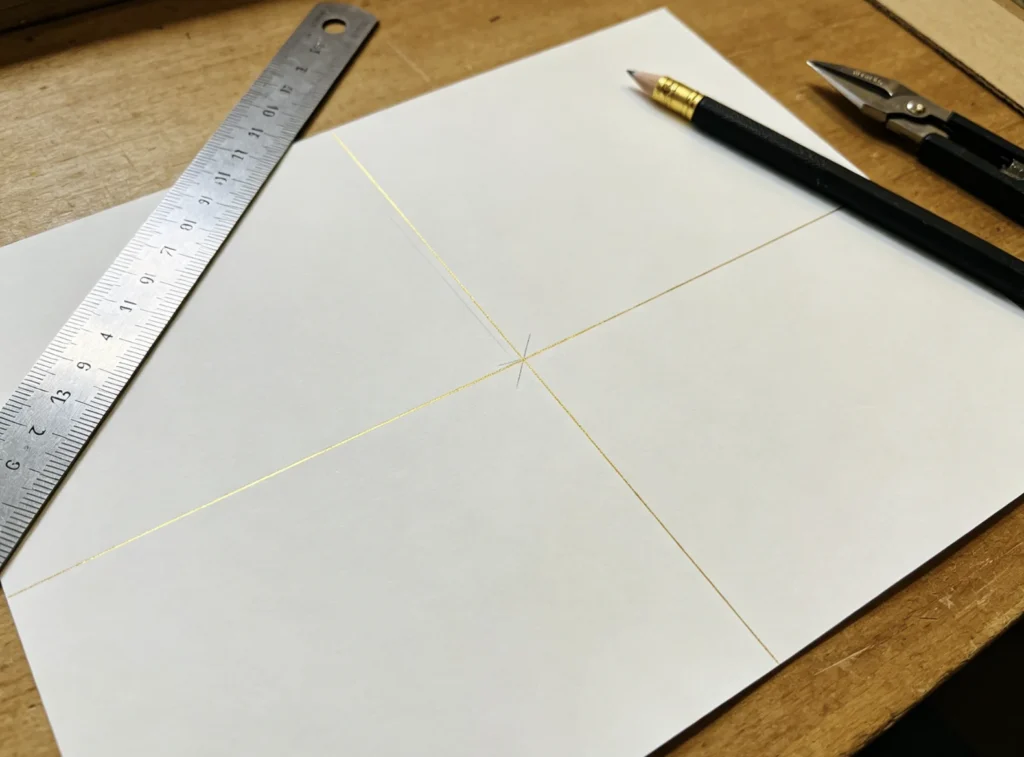
Simple cross baseline marking lets you pre-center brass letter text before heating, avoid crooked foil lettering on leather, paper and book covers.
For test setup, use:
a straight ruler
a paper guide sheet
masking tape outside the stamping area
a thin registration card
a custom positioning jig for repeated products
For leather goods, avoid marking directly on the visible surface unless the mark can be removed safely. Use outside-edge guides whenever possible.
4. Center the Whole Word, Not Each Letter
Many beginners try to start from the first letter and work across. This often creates an off-center result.
Instead:
Measure the available stamping area.
Measure the full word width in the holder.
Mark the center of the product.
Mark the center of the word setup.
Align center to center.
This is especially important for initials, short names, book titles and envelope flaps. A word can be straight but still look wrong if it sits too far left or right.
5. Lock the Type Firmly
Loose brass letters can shift during handling, heating or pressing. After setting the word, gently press the type with your finger or a flat tool to check movement. If one letter moves, the whole line can become uneven.
Use appropriate spacers if the system includes them. Do not rely on random gaps by eye if you need repeatable production.
If the holder does not lock the letters evenly, check whether:
different letter sizes are mixed
one letter is not seated fully
debris is inside the holder
the spacer is too thick or too thin
the lock screw is not tightened evenly
6. Make a Blind Test Impression
Before using foil, press the heated or unheated type onto scrap material or test paper to check position and alignment. This blind impression shows whether the word is straight, centered and evenly contacted.
Do not judge alignment only from the holder. The real result appears after pressure.
Check the test impression for:
straight baseline
equal letter height
even pressure from left to right
no holder edge marks
no double shadow
correct position on the product
Only add foil after the blind test looks correct.
7. Keep the Material from Moving
Even if the letters are aligned, the material can shift during pressing.
For flat leather pieces, use a positioning stop or a simple L-shaped jig. For notebooks and book covers, make sure the cover lies flat and does not rock near the spine. For paper, prevent the sheet from sliding when foil is placed on top.
If you are stamping multiple pieces, build a repeatable guide so every item sits in the same position.
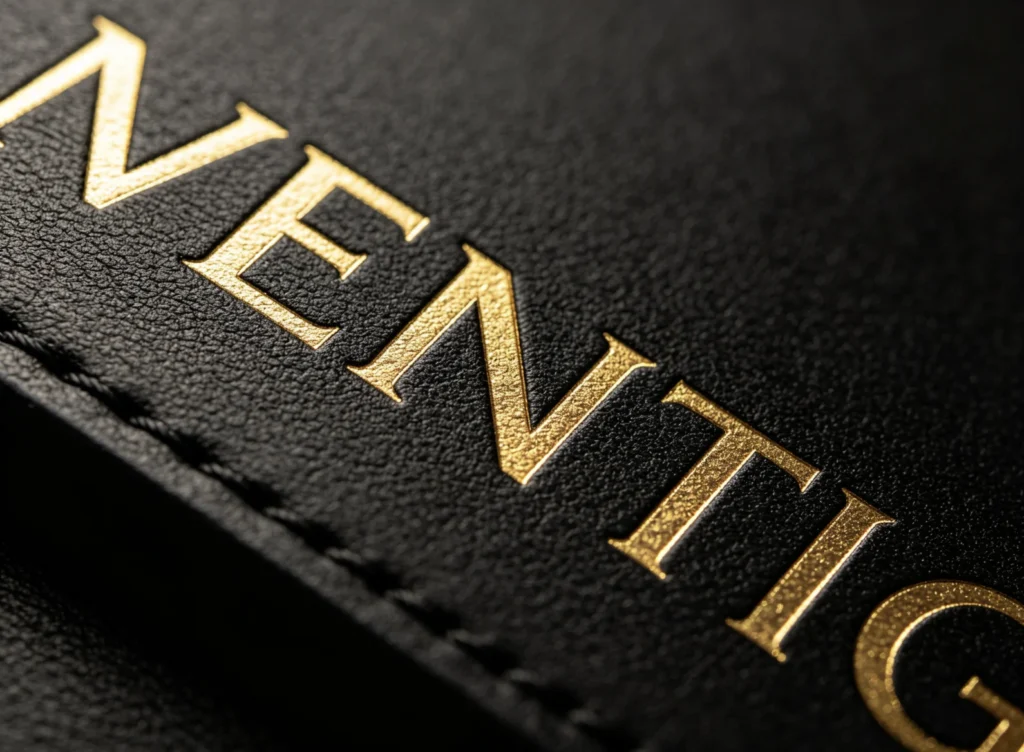
0.01mm precise CNC engraving matches every brass letter’s vertical height, ensuring flat, level foil text with no lopsided characters.
How to Fix Crooked Hot Foil Stamping Letters
Symptom
Likely Cause
Fix
Entire word slopes upward
product or holder was not square to the machine
use a baseline and square the product to the platen
One letter is higher
letter not seated fully or type height mismatch
reseat the letter and check the holder before heating
Letters drift during pressing
loose holder or unstable material
tighten the type and use a jig or positioning stop
First letter is clear, last letter is weak
uneven pressure across the holder
level the setup and test contact across the full word
Word is centered on the holder but not product
product center was not marked
measure product center and text center separately
Text looks wavy on leather
leather surface is soft, uneven or stretched
test on flatter material area and reduce excessive pressure
Foil edge is messy around letters
too much heat, pressure or dwell time
reduce settings and review letter spacing
Material Notes
Cuero
Genuine leather can have grain, stretch and thickness variation. A straight holder helps, but the material itself may still move slightly under pressure.
For leather name stamping:
choose a smooth, stable area
avoid stamping too close to seams
test the same leather batch first
keep pressure controlled to avoid shoulder marks
use a simple baseline guide for short names
If the leather is very soft, heavy pressure may distort the surface and make the text appear uneven even when the letters are set straight.
Cuero PU
PU leather often accepts foil well, but the coating can soften if heat, pressure or dwell time is excessive. When the surface softens, small letters may spread and alignment can look less clean.
In Zhengfei PU leather tests, EC-27 letter type achieved clean results around 100°C with 1 second dwell time. This is a workshop reference, not a universal rule. The correct setting still depends on the PU coating, foil type, letter size, pressure and product surface.
For PU leather personalization, test one name first and keep the dwell time short enough to avoid surface deformation.
Paper and Book Covers
Paper and cover board are usually more dimensionally stable than soft leather, but they are sensitive to pressure marks and positioning errors.
For book cover titles:
mark the title position before stamping
keep enough distance from the spine
avoid stamping over uneven board edges
use a fixed guide for repeated covers
test the same cover material before production
For white cardstock and paper-based tests, Zhengfei has used around 110°C with 1 second for EC17 movable type and around 110°C with 2 seconds for some paper and 3D relief applications. Use these only as starting references and always test the actual material.
If you stamp one product, careful setup is enough. If you stamp 20, 50 or 100 pieces, you need a repeatable workflow.
Use this checklist:
Confirm the final text and spelling.
Set the brass letters in the holder.
Measure the full text width.
Mark the product center or edge reference.
Lock the type and check for movement.
Place scrap material and make a blind test.
Add foil and make one sample.
Adjust temperature, dwell time and pressure only after alignment is correct.
Build a simple jig or stop for repeated pieces.
Keep one approved sample beside the machine during production.
The key is to separate alignment testing from foil testing. If you change everything at once, you will not know whether the problem comes from the type setup, material position, temperature or pressure.
Common Mistakes to Avoid
Pressing One Letter at a Time Without a Guide
This can work for hand-stamped leather craft, but it is difficult to keep professional spacing and baseline control. For hot foil stamping, one-letter-at-a-time work also increases the risk of different heat and pressure on each character.
Using the Product Edge as the Only Reference
Some products are not perfectly square. Leather pieces, notebook covers and handmade paper items can vary slightly. Use the visual center of the final product area, not only the raw cut edge.
Ignoring Foil Thickness and Placement
If the foil shifts when you place it, the stamped result may look dirty or uneven. Keep the foil flat and large enough to cover the text, but avoid excessive loose foil that can fold or move.
Over-Pressing to Fix Weak Letters
If one side of the word is weak, pressing harder may create deeper marks, distorted leather or messy foil around the good letters. First check type contact, machine level and material support.
Mixing Letter Sets
Letters from different sets may look similar but can have different height, body width or face style. Mixing them can create uneven text even when the holder is straight.
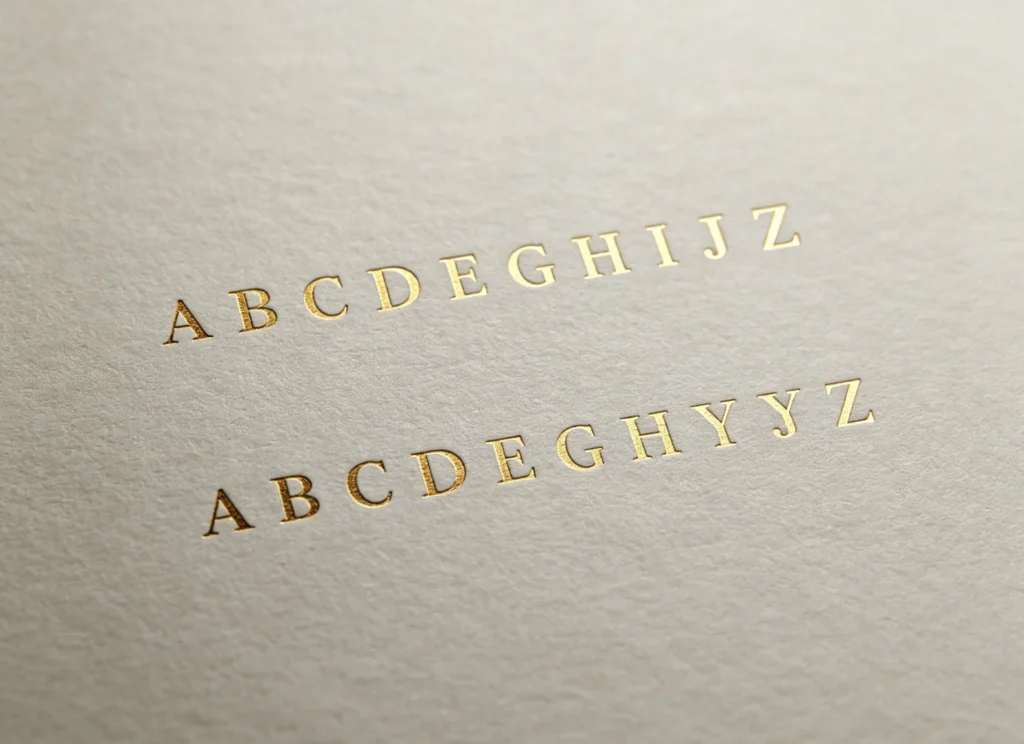
Reusable brass letter alignment jigs create flawlessly parallel multi-line text, ideal for centered titles on book covers and luxury packaging.
FAQ
Why are my hot foil stamping letters crooked?
Hot foil stamping letters are usually crooked because the type is not locked tightly, the product is not square to the machine, there is no baseline guide, or the material moves during pressing. Use a holder, mark a center line, make a blind test impression, and use a positioning jig for repeated work.
How do I keep brass letters evenly spaced?
Use a brass letter holder, slot-type letter set, or spacers designed for the type system. Avoid placing every letter by eye when you need production quality. Measure the full word width and test on scrap material before stamping the final product.
Should I stamp letters one by one or as a full word?
For professional foil stamping, stamping the full word in a holder is usually more consistent. One-by-one stamping is harder to align and can create uneven pressure, spacing and foil transfer between letters.
How do I center a name on leather?
Measure the leather stamping area, measure the full name width after setting the letters, mark the center of both, and align center to center. Do not start from the first letter unless the design is intentionally left aligned.
Why is one letter lighter than the others?
One light letter may come from uneven type height, loose type, dirt under the letter, uneven pressure, or a low spot in the material. Reseat the letter, clean the holder, check pressure contact and test again.
Can I use a custom brass die for names?
Yes, if the name or phrase will be repeated many times. For changing names, movable brass letters are more flexible. For a fixed brand logo, curved title, or repeated design, a one-piece custom brass die gives better spacing and alignment.
What machine is suitable for leather name stamping?
For small leather names, initials and logo work, compact manual hot stamping machines such as the EC-27 can be practical. The best choice depends on the product shape, stamping area, material thickness, and whether you need movable letters or a custom die.
CTA
Need cleaner letter alignment for leather names, book covers, paper goods or custom packaging?
Send ZHENGFEI your material photo, text size, letter height, stamping position and target effect. Our team can help you choose the right brass letter set, type holder, hot stamping machine or custom brass die for your project.
Comparte tu amor
ZHENGFEI Technical Team
ZHENGFEI Technical Team shares practical hot stamping knowledge from real production tests, including brass die design, foil stamping parameters, machine setup, leather, paper, acrylic, plastic, wood and packaging applications.






 English
 Japanese
 Spanish
 French
 Korean
 German
 Russian